



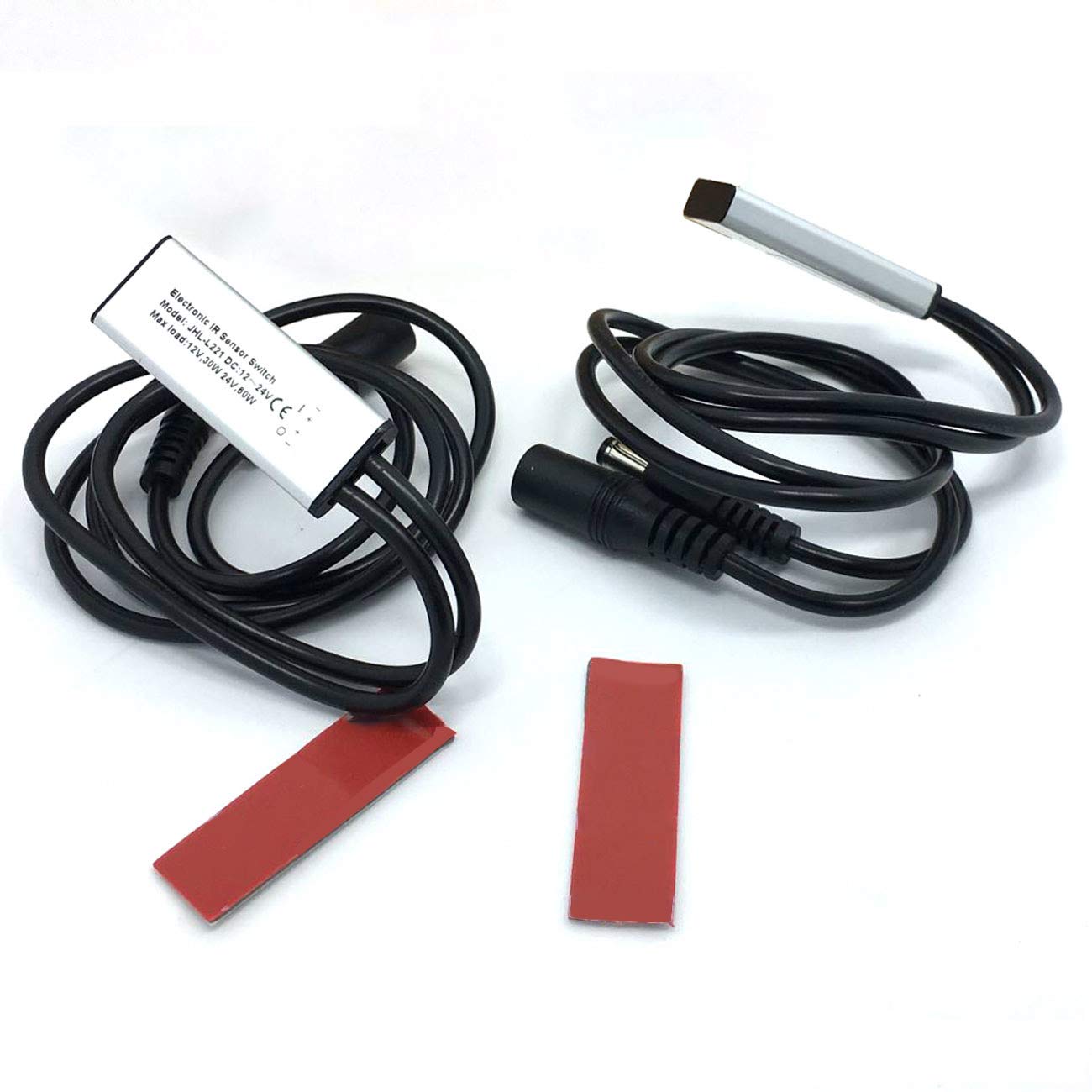


Litever 12-24VDC Door Open Switch Designed to Work with LED Lights Installed in Cabinets Counters Closets Wardrobes Automatic ON-Off LL-009-1 (2 Pack)

 4.3 (137 items)
 Limited Time Sale
US$11.99 cheaper than the new price!!
Free cash-on-delivery fees for purchases over $99
Product details
| Management number | 218772521 | Release Date | 2026/05/03 | List Price | US$8.00 | Model Number | 218772521 | ||
|---|---|---|---|---|---|---|---|---|---|
| Category | |||||||||
*Door open light switch. Open the cabinet/closet/wardrobe door, the led light it controlls will start. Close the door, the light switch will stop. It's NOT a motion sensor switch.It's NOT compatible with any LED dimmer. The door open sensor on-off switch is designed to work together with in-cabinet LED lighting or in-closet LED puck lights for applications where an automatic on-off sensor switch is desired. When the door is opened, it will work automatically and your LED lights installed inside the cabinets will start. When the door is closed, the LED light will stop.Perfect to work with cabinet LED lights, closet led lights, drawer lights, wardobe lights, etc. Automatic ON/OFF Sensor Switch Specifications: Input Voltage: 12VDC-24VDC Input Cable: 50CM cable including female DC jack (bigger one) of interface 5.5mmx2.1mm Output Voltage: 12VDC-24VDC Output Current: Max. current: 2.5A Output Power Load: Maximum 30W at 12VDC / Maximum 60W at 24VDC Output Cables: 50CM cables including male DC jack (smaller one) of interface 5.5mm x 2.1mm Sensor Range: 5~7CM Dimensions: 45mm x 16mm x 6mm How Does This Door Sensor On-Off Switch Work:When there is any non-transparent object (normally it's the door of your cabinet/wardrobe/drawer/closet) is 0~6CM in front of the sensor head area, the switch will be off. When there is no object in front of the sensor head area, with a distance over 7CM, (normally, that means the door is opened), the switch will be on and your LED light will start. Important Installation Notice: This door open sensor switch should be mounted behind the door of cabinet / wardrobe /closet. And the suggested distance between the door to the sensor switch head is around 1~3CM.
- Automatic door open sensor swith for 12VDC/24VDC in-cabinet/closet LED lights. After correct DIY, when you open the door, this door-open-switch will turn on the LED lights automatically. When you close the door, this door-open-switch will turn off the LED light immediately.
- It's NOT a IR motion sensor switch. ONLY designed to work in cabinets with doors ! Only Open/Close Door can make this door-open-sensor switch to work !
- It's NOT compatible with any other PWM LED dimmer. If you have a PWM 12VDC/24VDC LED dimmer in your lighting kit, pls remove the dimmer and then use this door-open light switch.
- This door sensor switch is workable with both 12VDC and 24VDC, which are the most common input voltage for most under cabinet LED lights.
- Pls refer to the 4th picture on how to install this door-open-sensor switch.
| UPC | 747180280920 |
|---|---|
| Color | Silver |
| Model | LL-009-1 |
| Terminal | Dc Jack |
| Brand Name | Litever |
| Unit Count | 2 Count |
| Item Weight | 0.22 Pounds |
| Part Number | LL-009-1 |
| Switch Type | Door Open Sensor |
| Circuit Type | automatic |
| Contact Type | Normally Open |
| Control Type | automatic |
| Manufacturer | Litelife |
| Actuator Type | Hinge Lever |
| Material Type | Plastic And Metal |
| Mounting Type | Surface Mounting |
| Connector Type | Dc Jack |
| Control Method | Touch |
| Current Rating | 2.5 Amps |
| Operation Mode | Automatic,Automatically,On-off |
| Controller Type | door open sensor |
| Contact Material | Silver |
| Operating Voltage | 12 Volts (DC) |
| Specification Met | Ip54 |
| Compatible Devices | LED lights (12VDC/24VDC, without PWM dimmers) |
| Included Components | Self adhesive pad |
| Number of Positions | 2 |
| Connectivity Protocol | Infrared |
| International Protection Rating | IP54 |
Bestseller ranking
Sofrito Sauce

Customers who viewed this product also viewed
Under-Cabinet Lights




Correction of product information
If you notice any omissions or errors in the product information on this page, please use the correction request form below.
Correction Request Form